
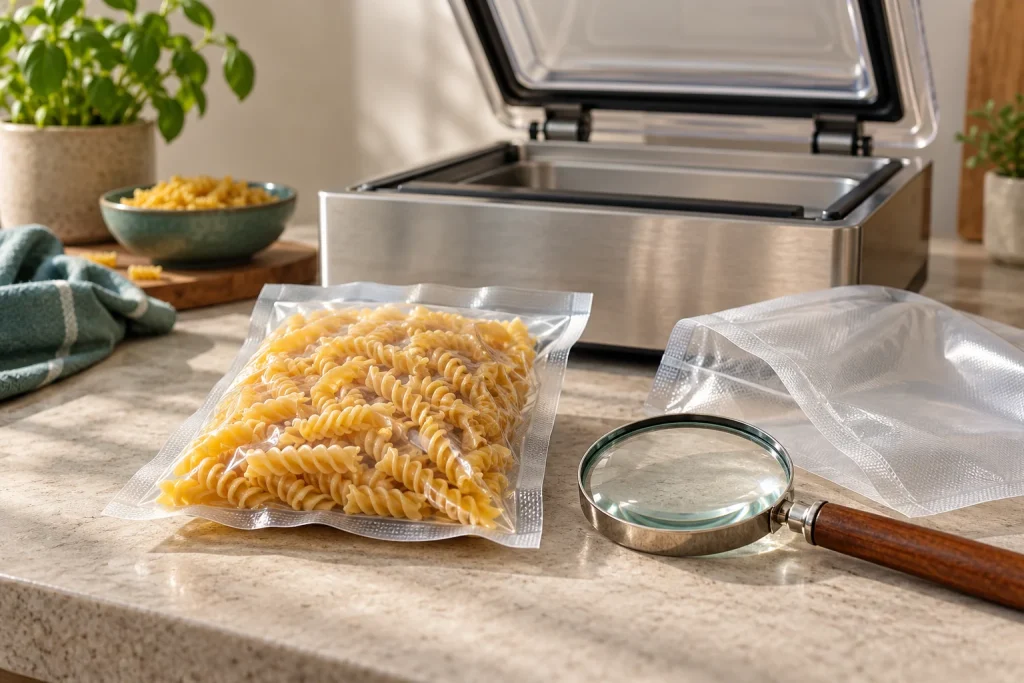
When a chamber vacuum sealer is not sealing bags, identify the failure before changing settings. A pouch with no heat seal, a completed package containing air and a package that loosens the next day are different symptoms. Treating all three as “not enough suction” can send you toward the wrong fix.
Start with the exact manual and owner-approved checks. Do not open the electrical enclosure, bypass a lid interlock or repeatedly run a machine that behaves abnormally. This guide helps organize observations; it is not a substitute for model-specific repair instructions.
Identify when the problem occurs
| Symptom | First area to investigate |
|---|---|
| Cycle does not start | Power, documented controls and lid position |
| Lid does not draw down | Loading obstruction, gasket condition and approved closure procedure |
| Pouch inflates or moves | Pinched opening, clamp and seal-bar position |
| No visible heat seal | Correct mode, pouch compatibility and sealing assembly |
| Seal is patchy, wrinkled or burnt | Clean mouth, material, selected setting and consumable condition |
| Package is loose immediately | Evacuation, load shape, mode and seal integrity |
| Package loosens later | Puncture, seam damage, storage handling or changes in contents |
Do not diagnose internal pump failure from a loose package alone. A small puncture can look like weak vacuum after the package has already been sealed.
Make a useful test record
Write down the model and revision, pouch supplier, size, material, settings and symptom. Note whether the problem began after a bag change, a spill, a long session or a move.
If the instructions permit, use a fresh correct pouch and a clean representative non-food load for an initial comparison. Avoid repeatedly experimenting with food that requires cold storage. Keep potentially damaged packages separate from packages accepted for storage.
Photograph the full seal and the loading position before removing the pouch. A manufacturer can often learn more from those images than from “it is not sucking properly.”
If the machine does not begin or the lid will not draw down
Check the approved startup sequence, outlet and switch state without disassembling the unit. Do not assume a display being lit proves every operating condition is satisfied.
Inspect for a bag, food particle or other obstruction at the gasket boundary. With the appliance isolated and cooled as directed, look for an incorrectly seated or visibly damaged gasket. Use the model’s installation instructions rather than stretching or packing material into the channel.
Some machines need a documented initial lid-closing action. Others begin differently. Do not force or clamp the glass lid as a substitute for the proper procedure.
Avid Armor’s USV20 support material addresses gasket and loading-related symptoms for that model. Those observations are useful examples, not permission to apply its component adjustments to every chamber machine.
If the pouch inflates or slides away
The opening must remain able to exchange air with the chamber until sealing. A fold, clamp position or raised assembly can interfere. Check the diagram in the manual and make sure the pouch is not caught at the chamber boundary.
A bag moving during evacuation does not automatically mean excessive pump power. First determine whether the mouth is correctly positioned and free from an unintended pinch.
Do not hold the package by reaching into a running machine. End the cycle with the approved control, wait for release and reload properly.
If there is no heat seal
Confirm that you selected an ordinary vacuum-and-seal function rather than a marinate or other non-sealing mode. Some machines use different behavior for “seal,” so the label alone does not describe the entire sequence.
Check that the pouch material is approved for the machine and that the mouth reaches the seal assembly without folds. Smooth versus textured construction addresses evacuation compatibility; heat-seal behavior also depends on the material and settings.
Inspect owner-serviceable components only as the manual permits. A missing protective tape, displaced pad or damaged wire is a reason to identify the correct replacement procedure, not improvise household tape or an unrelated heating element.
Our parts guide separates sealing tape, wire, pad and lid gasket so you can describe the part accurately.
If the seal is patchy or burnt
Start with a clean, flat opening and the manufacturer’s setting for the exact material. Food, oil and wrinkles across the seam can interfere. A longer seal interval is not a universal cure.
If seals worsen during a batch, check required cooling and session rests. A material or loading change can also explain the difference, so record the sequence rather than diagnosing overheating from appearance alone.
The duty-cycle guide explains why seal cooling is different from pump maintenance. Follow the approved rests and stop if the machine shows abnormal heat, smoke or damaged wiring.
If the package is loose immediately
Check the correct cycle, supported settings and placement. Some irregular foods leave visible spaces even when air removal has occurred; appearance alone is not a calibrated pressure measurement.
Inspect the complete heat seal, including its ends, and consider whether a sharp projection damaged the pouch. Do not compare a delicate food with a hard dense item and expect identical package appearance.
If a fresh compatible bag and correct loading still fail consistently, contact support with the test record. Repeatedly increasing vacuum time beyond normal instructions is not a diagnosis.
If air appears later
Inspect the seam and the entire pouch. A puncture near bone, a fold crossing a seal or abrasion during freezer handling can produce a later problem. The location and timing matter.
Contents can also change after packaging. Do not use a bag’s tightness, smell or appearance as proof of food safety, and do not taste suspect food to decide whether resealing will fix it. Follow appropriate food-safety guidance for the food and storage history.
A loose package does not establish a safe remaining storage period. Our food-safety explainer separates packaging inspection from preservation decisions.
When to stop troubleshooting
Stop using a damaged cord, cracked lid, uncontrolled heating, repeated fault, suspected internal liquid contamination or abnormal operation. Explain the symptom to the manufacturer and follow its service route.
Anova’s safety documentation, for example, directs users not to reuse a damaged or malfunctioning appliance without support. The appropriate principle is to respect the actual machine’s service boundary, not to try every online repair video.
Keep the model label, receipt, settings and photographs. Ask whether the proposed repair is owner-approved and whether it affects warranty coverage before buying parts.
Common questions
Should I increase vacuum time first?
Only if the model’s guidance and diagnosed symptom call for it. More evacuation does not repair a contaminated seam, puncture or incompatible material.
Can I add a second seal over a bad one?
Follow the bag and machine instructions. A second seam does not remove contamination or establish that a damaged package is safe for storage.
Does a new gasket fix every weak-vacuum problem?
No. Gasket condition is one possible cause. Check loading, the material, approved controls and the full symptom before ordering a replacement.
Give the manufacturer a precise problem
Describe what failed, when it failed and the controlled checks you made. That produces a better next step than labeling every symptom a pump problem. Keep owner checks within the manual and escalate unresolved faults before further food packaging.
Sources
About the author
Seal Routine
Seal Routine helps home users choose chamber vacuum sealers, find compatible pouches and build a practical sealing routine. Our guides cover buying decisions, model comparisons, setup, maintenance and everyday ownership.